Transform Any App into a New App in Minutes
No programming. No manual code editing. Enter your Web App URL or upload the project ZIP file and completely transform the look of your application in just a few clicks.
How it works
Three steps. One new app.
Upload
Upload your Web App via URL or directly upload the project ZIP file.
Customise
Edit colours, fonts, images, icons, layout, and components via the real-time visual editor.
Download
Instantly download the new Android or iOS project, ready to compile.
Engine
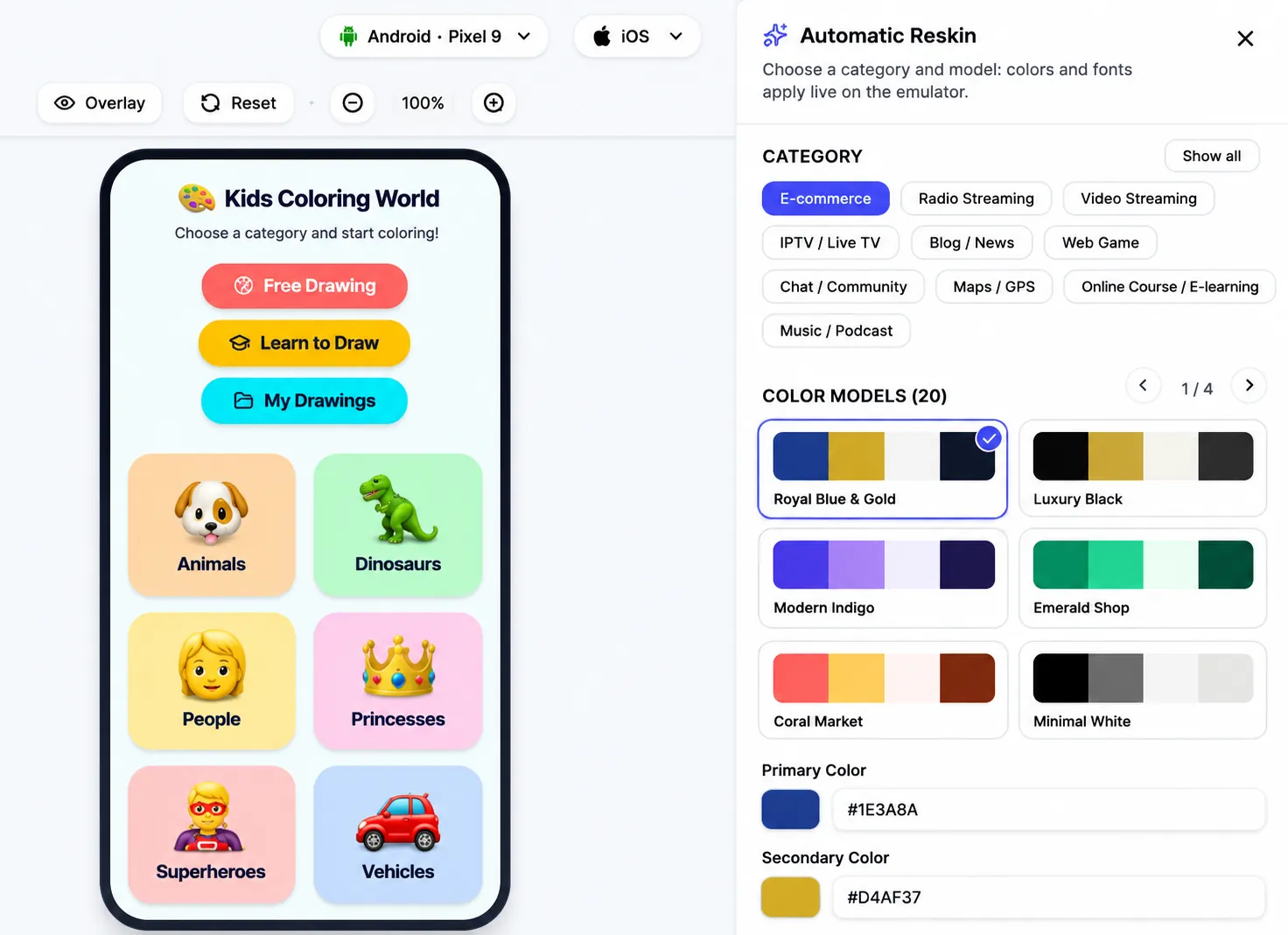
Automatic Reskin Engine
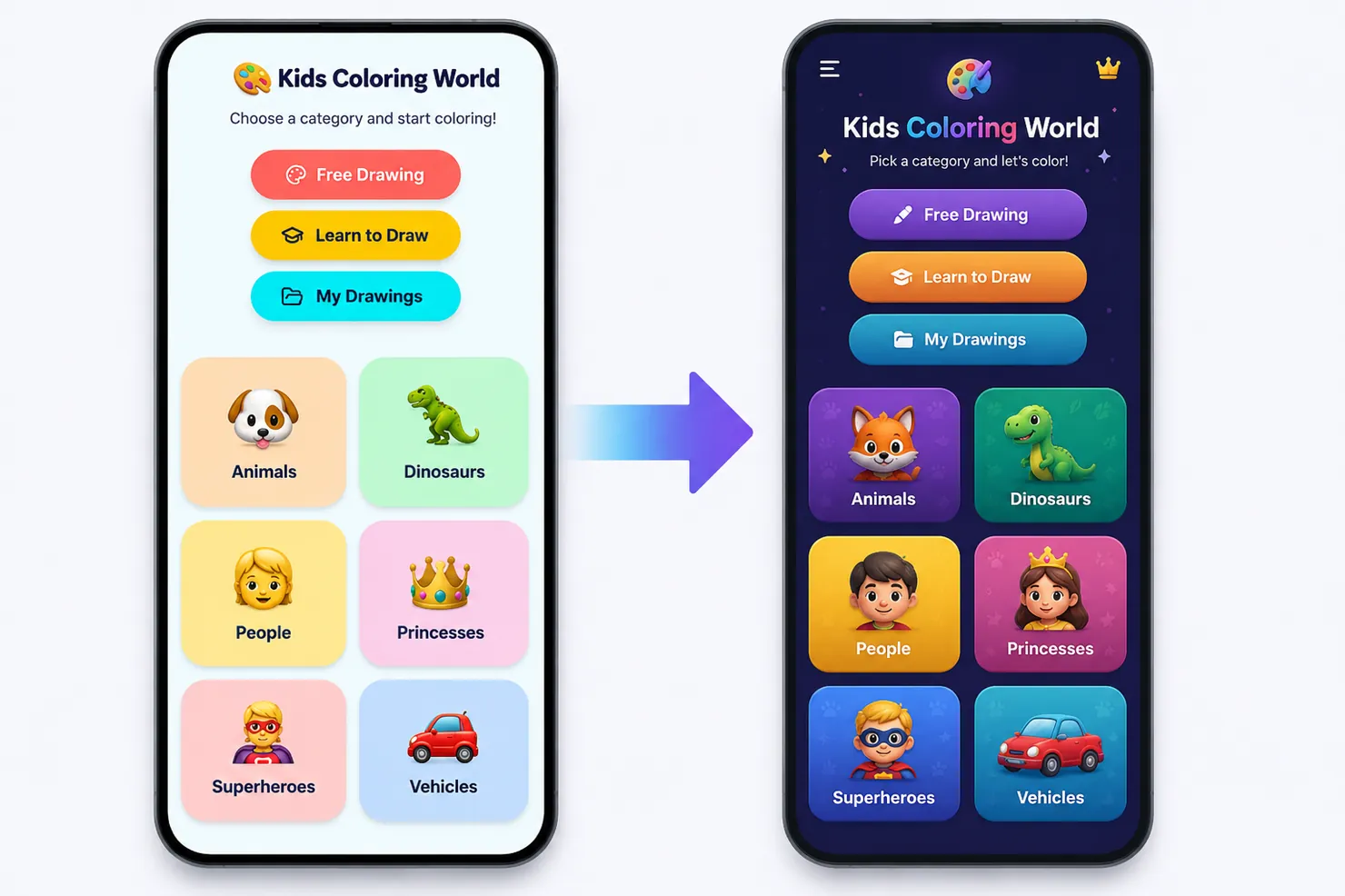
AppCode Reskin automatically analyses your application and lets you completely redesign its appearance without writing a single line of code.
- Change colours and themes
- Edit fonts and typography
- Replace images and icons
- Customise buttons and components
- Change borders, shadows, and spacing
- Hide or show elements
- Edit shapes and corners
- Create unlimited designs
- Save multiple versions
- Real-time preview
Creation modes
Two ways to get started
Reskin Your Web App
Simply enter the URL of your web application.
The system will automatically analyse the interface and let you edit it visually.
- Automatic analysis
- Visual editor
- Instant preview
- No programming
Upload your Android Studio or Xcode project
Directly upload the project ZIP file.
Full support for Android Studio and Xcode. AppCode Reskin automatically applies the reskin and returns the complete project, ready to open and build. No manual edits required.
- Android Studio (.zip)
- Xcode (.zip)
Automatic SDK
Zero Manual Code Changes
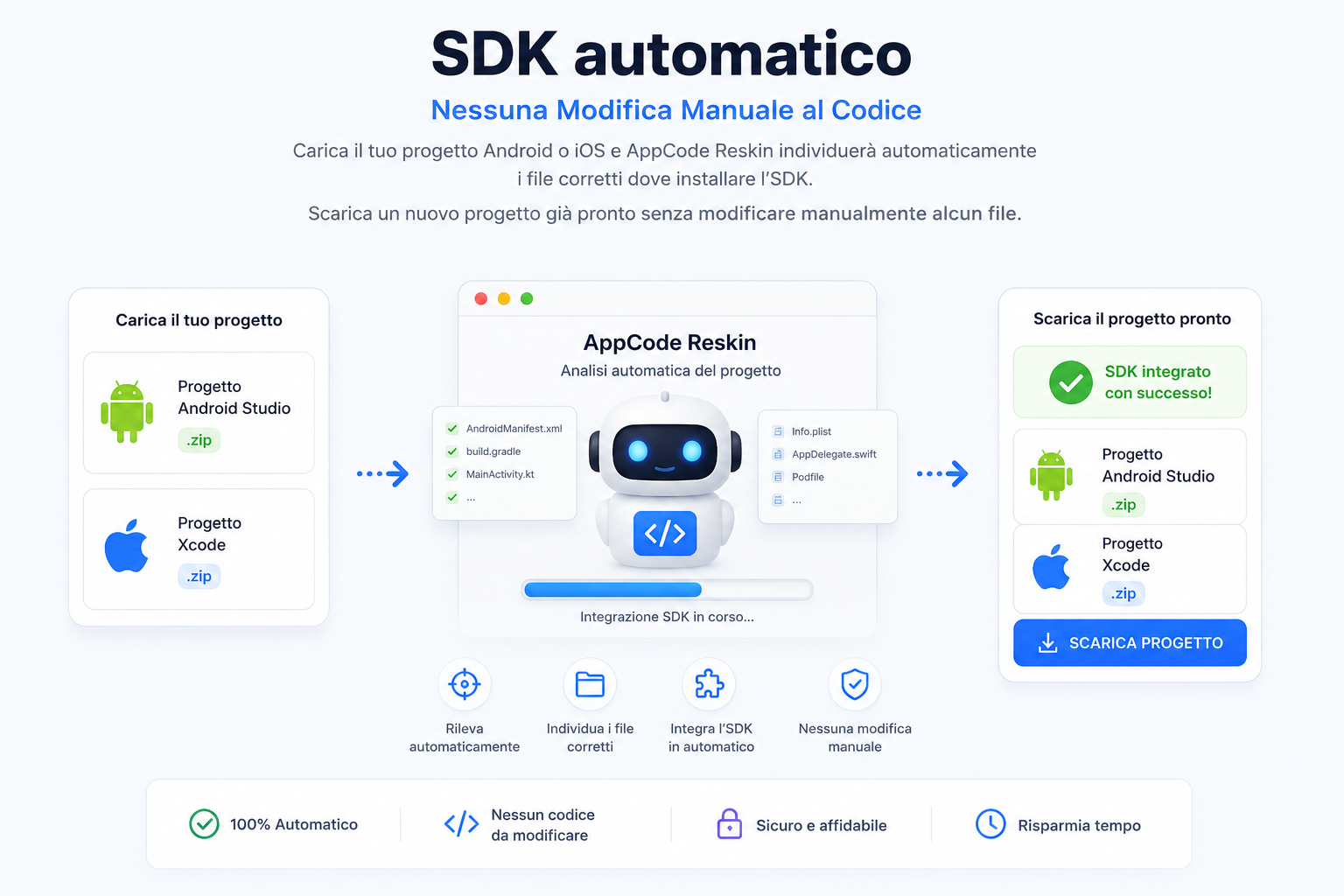
Upload your Android or iOS project and AppCode Reskin will automatically identify the correct files where the SDK should be installed.
Download a new ready-to-build project without manually editing any file.
Compatibility
Two modes. One reskin engine.
Store screenshots
Store Screenshots
Automatically generate screenshots for Google Play and App Store directly from your app.
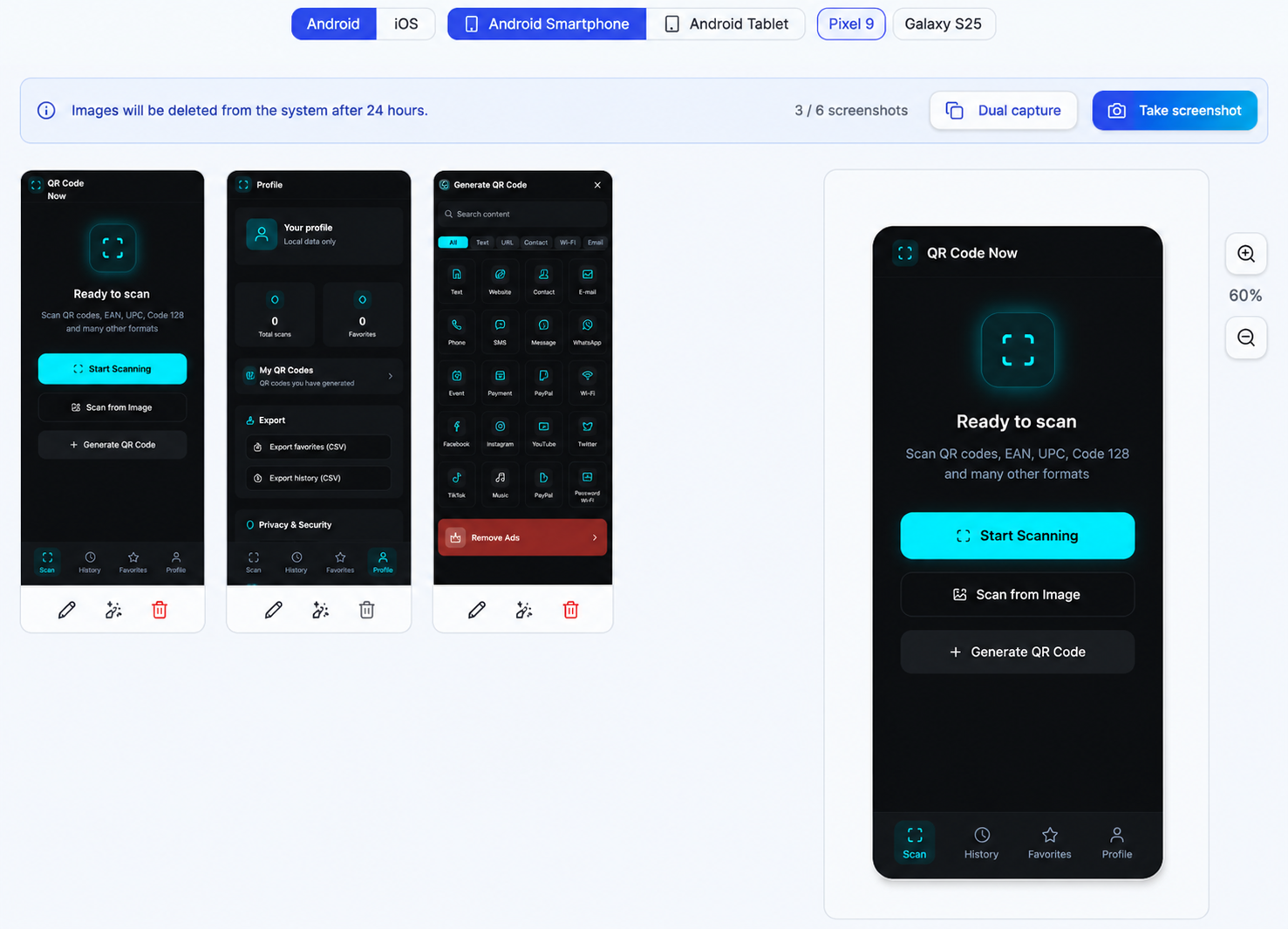
Upload up to 6 screens of your app and AppCode Reskin will automatically create screenshots optimised for the stores.
Supported devices:
- 📱 Android phone
- 📱 Android tablet
- 🍎 iPhone
- 🍎 iPad
Screenshots are automatically adapted to the formats required by the stores while keeping the correct aspect ratio and best quality.
What it does
- Upload up to 6 screenshots
- Live preview of the screens
- Phone and tablet support
- Automatic generation of the formats required by the stores
- Download as ZIP
- Folders already organised by device
Generated ZIP
The download returns a ZIP already organised, ready for Google Play Console and App Store Connect.
store-screenshots.zip
├── Android/
│   ├── Phone/
│   └── Tablet/
│
└── iOS/
    ├── iPhone/
    └── iPad/
Launch screen
Launch Screen
Create a professional launch screen for Android and iOS directly from the editor.
Fully customize your application's initial screen by choosing logo, background color, size, position and display duration.
The Launch Screen is generated automatically and integrated into the project without any manual editing.
- Upload Logo or Image
- Real-time preview
- Custom background color
- Display mode (Contain / Cover / Fill)
- Automatic logo positioning
- Image scaling
- Rounded corners
- Opacity control
- Launch screen duration
- Compatible with Android Studio and Xcode
- No manual code changes
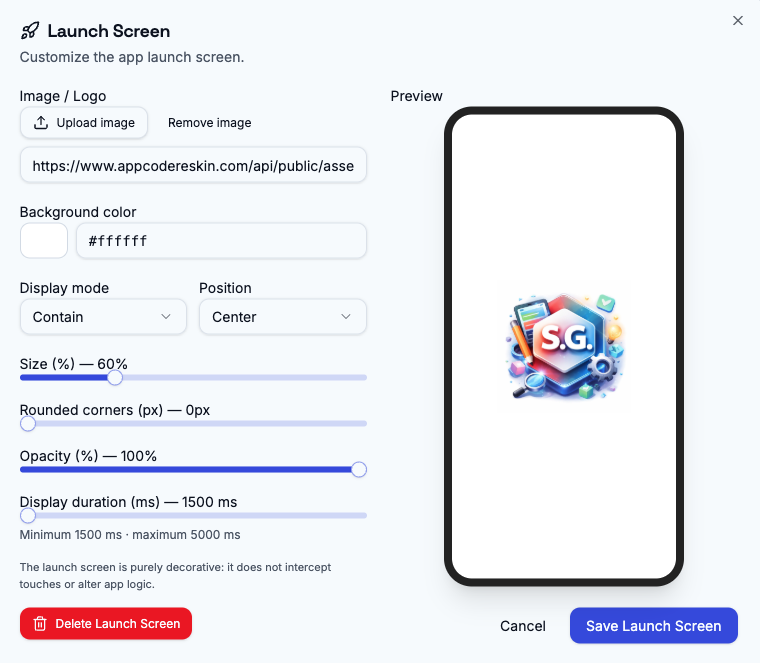
Ready in seconds
Configure your Launch Screen once. AppCode Reskin will automatically integrate it into the Android Studio or Xcode project during final generation, without requiring manual changes.
Key features
Everything you need
Visual Editor
Click on any element and edit it.
Automatic Reskin
Transform themes and styles with one click.
Automatic SDK Injection
Finds the correct files and installs the SDK.
Real-Time Preview
See your changes instantly.
Web App, Android Studio, Xcode
Three import modes, one engine.
Project Export
Download build-ready projects.
Pre-built Templates
Dozens of ready-to-use themes.
Automatic ZIP Processing
Upload and manage your entire project.
No Programming
Zero code written by hand.
Unlimited Revisions
Edit and iterate without limits.
Change History
Revert to any previous version.
Custom Designs
Create infinite unique combinations.
Automatic reskin
Completely Redesign Your App in Just a Few Clicks
With Automatic Reskin mode you can instantly transform your application's interface by applying new styles, themes, and design combinations with a single click. No development experience required.
"Transform any existing application into a fully redesigned new app in minutes — no coding required."